



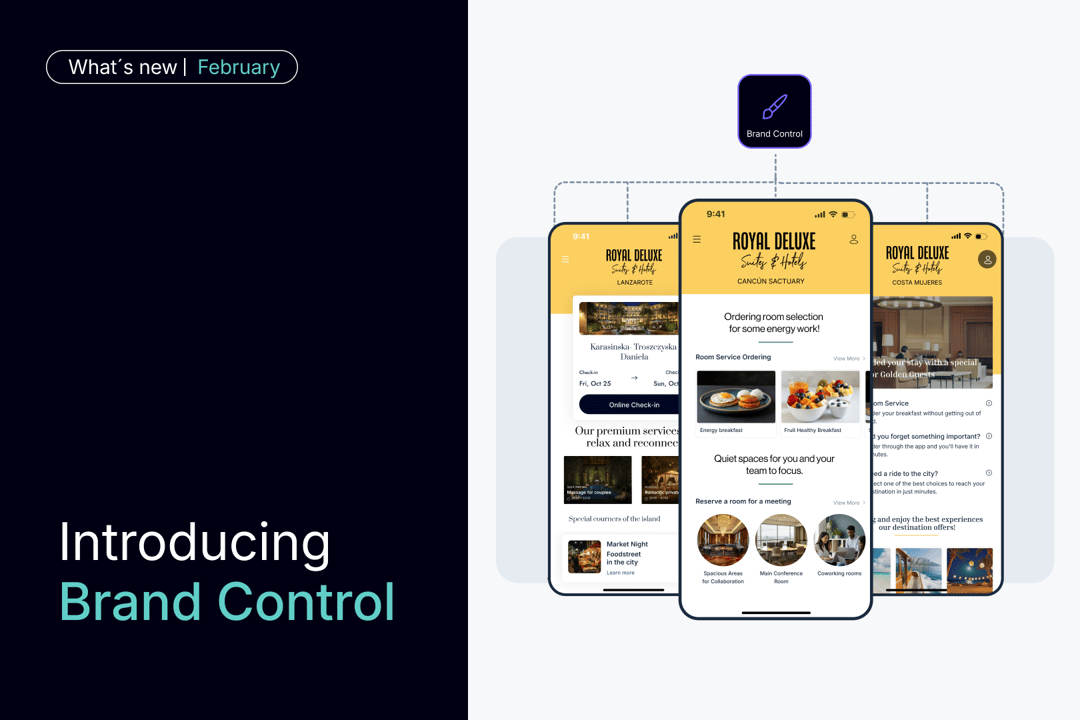
For hotel chains, brand consistency is not optional. It is how guests recognize your brand, trust it, and know what to expect at every property.
But as your portfolio grows, maintaining that consistency becomes nearly impossible. Not because you lack clear standards, but because enforcing them across dozens or hundreds of hotels is operationally unmanageable.
Brand Control changes that.
It is a centralized system that lets corporate teams deploy consistent brand standards across every hotel app from one place.
Watch the explainer video. 👇
What is Brand Control?
Brand Control gives corporate teams centralized control over brand standards across the entire portfolio. Define what stays consistent, lock it down, and deploy it everywhere, without relying on manual hotel-by-hotel oversight.
It covers three critical areas:
1. Create and roll out homepage templates at scale
%20(1).png?width=2190&height=960&name=Consistent%20look%20and%20feel%20across%20all%20properties%20(1)%20(1).png)
Create home page templates centrally and roll them out to all hotels in a single action. When you update a template, every hotel app using it updates automatically.
With Home page Templates, corporate teams can define key elements of the app’s look and feel at brand level, including:
- Main brand color and visual styles
- Button and UI styles, such as rounded or squared shapes
- Logotype and other brand assets
- Side menu structure and visual style
- Welcome messages and introductory content
- Predefined content widgets and sections
Crucially, each of these elements can be defined as editable or non-editable at property level. This allows corporate teams to decide what must stay consistent across the brand and where hotels are free to adapt based on local needs.
This removes visual drift while preserving flexibility. Every app looks and feels like part of the same brand family, without forcing a one-size-fits-all experience.
2. Define and audit service information standards centrally
%20(1).png?width=2190&height=960&name=Consistent%20service%20information%2c%20not%20hotel-by-hotel%20variations%20(1)%20(1).png)
Set clear content requirements at brand level and instantly see which hotels comply and which don’t.
With Content Audit, corporate teams can define content standards based on the type of service offered, such as facilities, in-stay services, or leisure content. This includes, for example, restaurants, spas, sports facilities, room service, amenities, incidents, points of interest, or tours.
For each service type, corporate teams can specify which information fields are required, such as:
- Service name and description
- Images
- Opening hours
- Map location
- Menu, catalog, or booking system
Hotels can clearly see which fields are required for each service. They can still edit and save services locally, but missing required information is flagged at brand level.
Content Audit also provides a centralized service list for each brand, showing all services across the portfolio and their completion status. Corporate teams can instantly see which hotels meet content standards and which ones need attention, without reviewing services property by property.
This makes it possible to enforce information standards at scale, without reactive fixes or individual reviews, and ensures service information stays consistent as the portfolio grows.
3. Manage brand-standard services from one central source
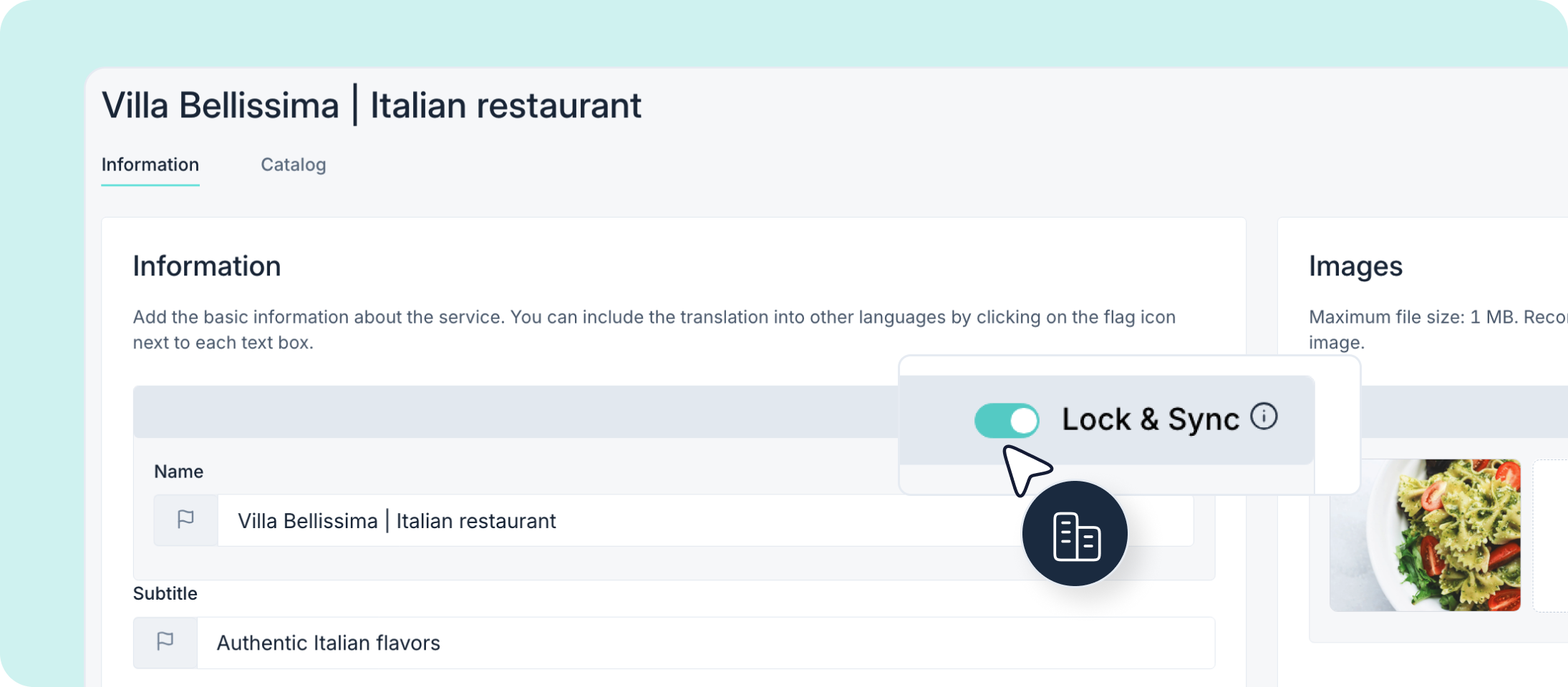
With Corporate Content, corporate teams can create and manage shared services at brand level across different service types, such as facilities, in-stay services, or leisure content. These services act as a master version that hotels can reuse in their own apps.
Corporate teams can:
- Create brand-standard services once at corporate level
- Decide whether those services can be displayed as home page widgets
- Define and edit service information as usual, including name, description, images, and other details
For each section of a service, corporate teams can choose whether to enable the "Lock & Sync" option. When this option is active, that specific information is locked at corporate level, and hotels cannot edit the locked fields. Corporate teams remain in control of that information.
Any update made at corporate level is automatically synchronized across all hotels using the linked service. Changes no longer require coordination, manual updates, or follow-ups with individual properties, ensuring clean and consistent data across the entire portfolio.
Why centralization matters
Managing brand consistency property by property does not scale. It slows rollouts, creates inconsistencies, and turns what should be simple updates into weeks of coordination.
Brand Control centralizes what must stay consistent so corporate teams can act once, not hundreds of times. Changes are deployed across the entire portfolio in a single action, without constant checking, coordination, or follow-ups with individual properties.
This removes operational overhead while keeping brand standards protected at scale. Hotels retain the flexibility they need for local content, and corporate teams keep control over what defines the brand.
Brand Control is already available
Brand Control is live and ready to use by corporate teams. We've created dedicated resources in our STAY Academy to help your team get started.
-
Training course with short video tutorials to set up and manage Brand Control.
- Help Center articles with detailed configuration options and best practices.
