

Skip to content

Staff App

Manage your hotel from anywhere

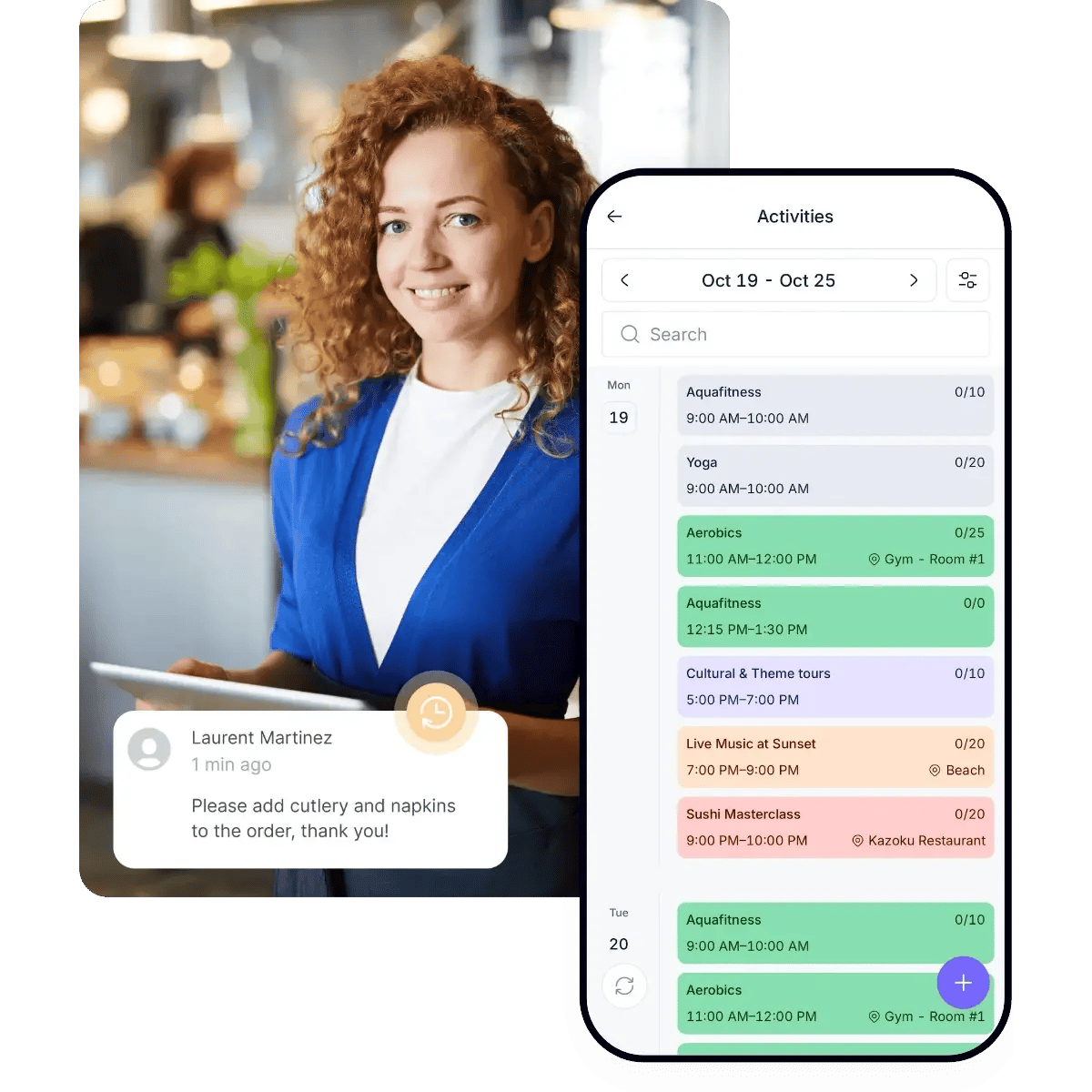
The staff can handle requests, bookings and orders from a smartphone or tablet, whether welcoming guests at a restaurant or running activities by the pool.
Freedom to work beyond the desk.

Book a demo
Hotel staff member using the STAY Staff App to manage activities and guest requests
Trusted by +1,200 hotels around the world
kimpton-logo
riu-logo
hardrock-logo
nh-logo
barcelo-logo
amr-logo
melia-logo
hilton-logo
kimpton-logo
riu-logo
hardrock-logo
nh-logo
barcelo-logo
amr-logo
melia-logo
hilton-logo

All services in one hotel operations app

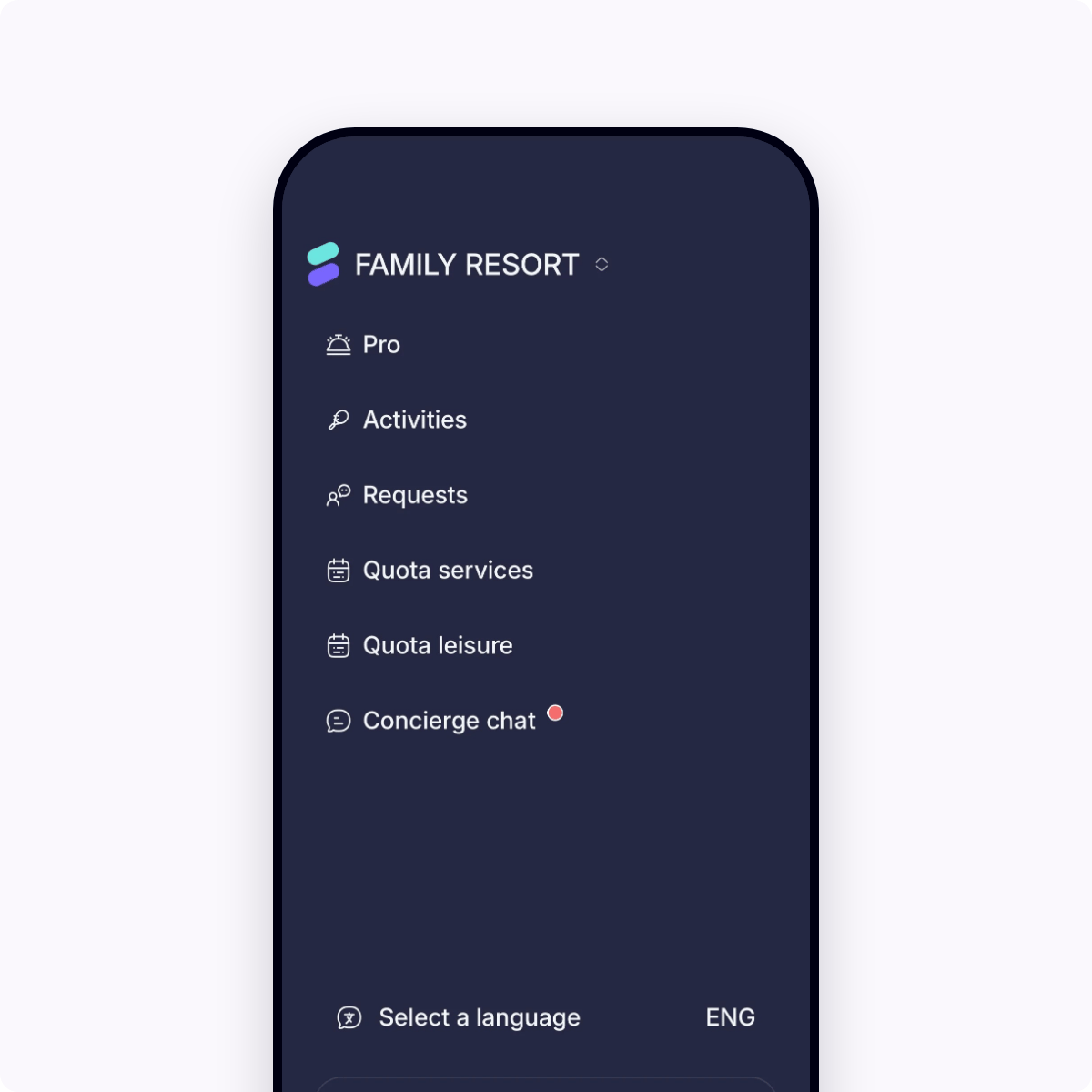
From restaurant bookings and spa appointments to F&B orders, the team can manage all services directly from the Staff App, including PRO services. Everything they need, right in their hands.

Staff app menu with access to Activities, Requests, quota services and Concierge chat

On top of every request

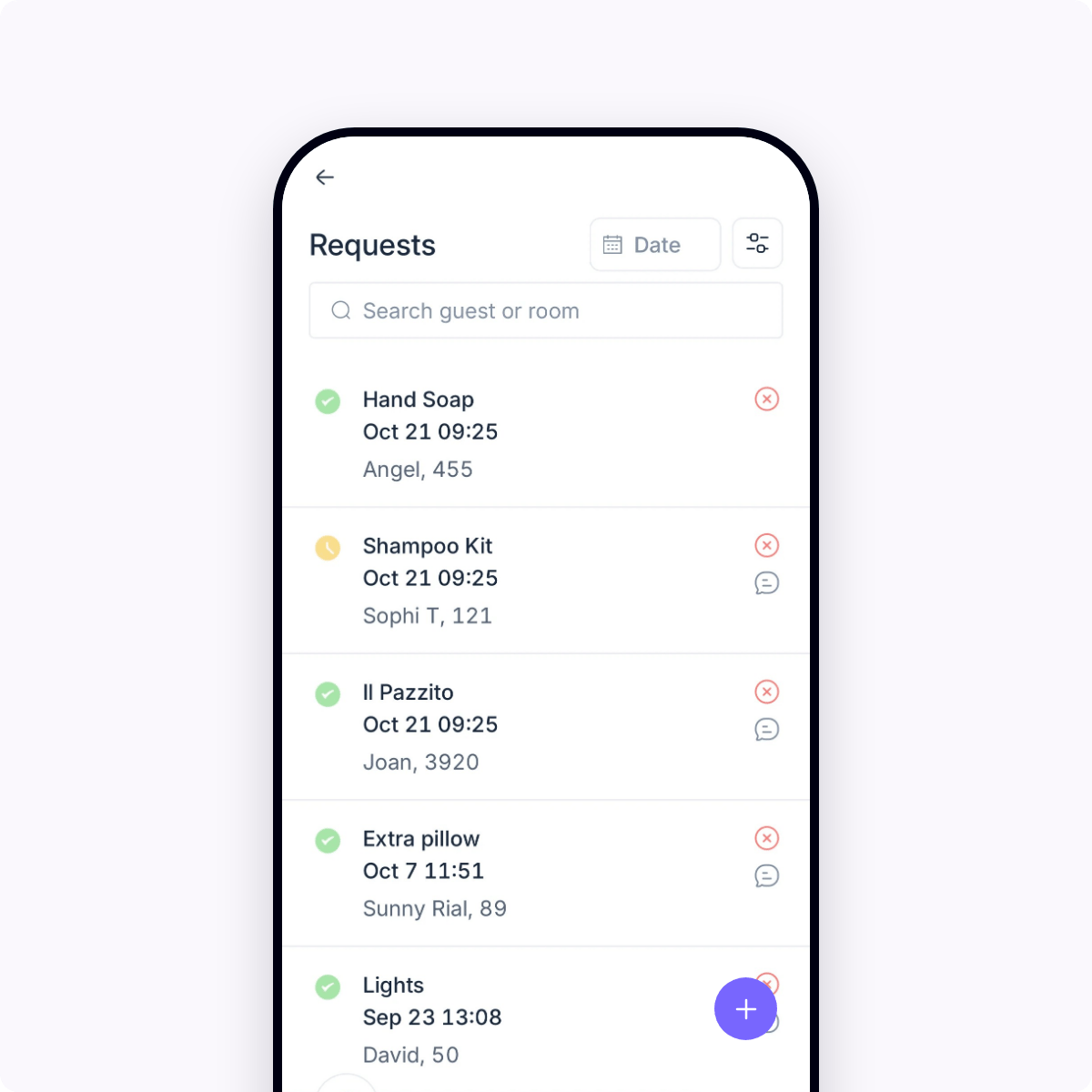
No request goes unanswered. The staff has all the information they need at hand to handle each request properly and deliver better guest service.


List of guest requests in the staff app, each showing the item requested, time, guest name, room number and status

Keep guests updated in real time

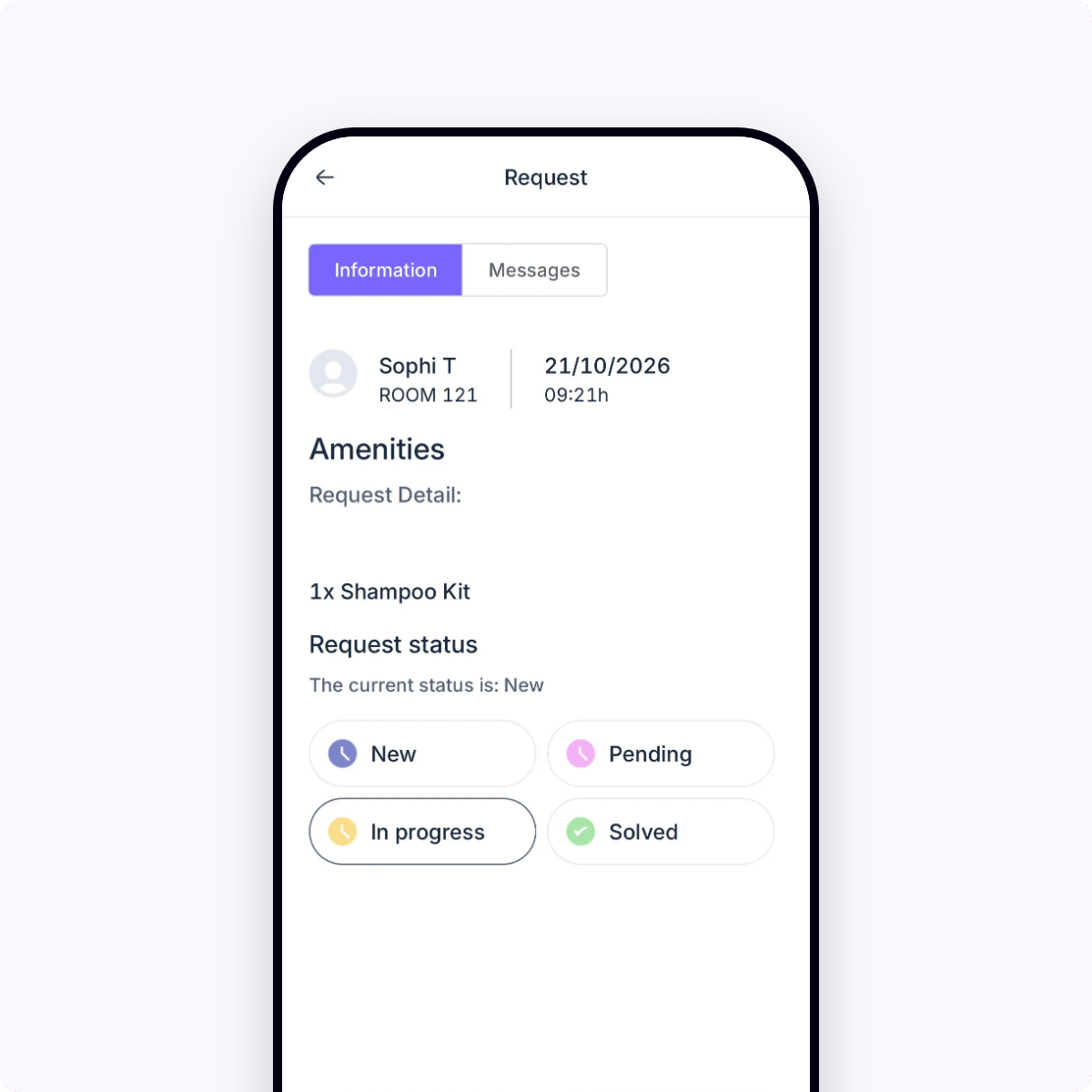
The team can message guests directly from their phones to clarify questions or share updates, so every request is resolved just as expected.

Guest request detail in the staff app, showing a shampoo kit request for room 121 and status options: New, Pending, In progress and Solved

A hotel staff management tool ready in seconds

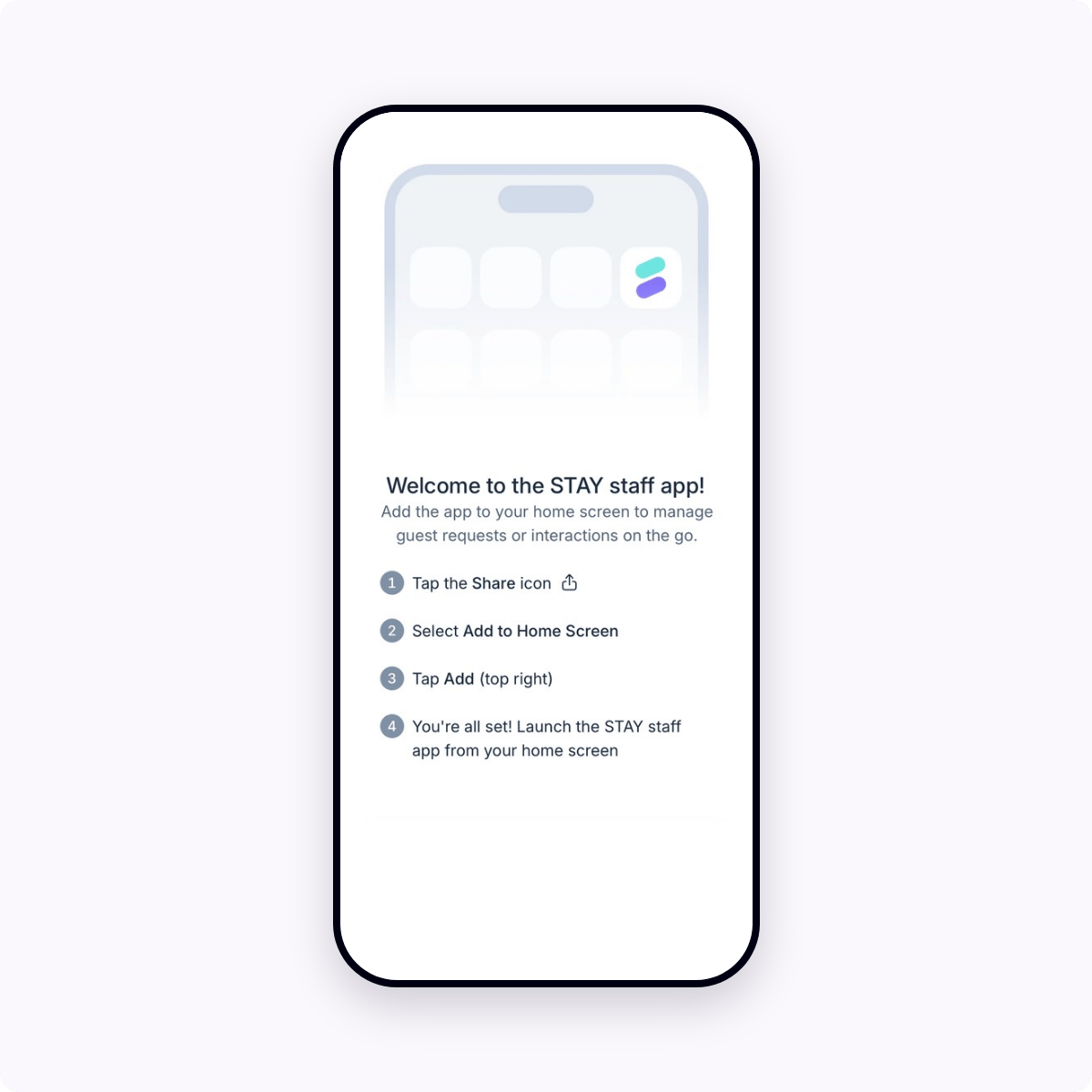
There’s nothing to download. The staff simply opens the Staff App from a link on a smartphone or tablet and adds it to the home screen. Updates are applied automatically and improved performance makes every task faster and smoother.


Staff app welcome screen with four steps for adding the app to a phone’s home screen
FAQ

Frequently asked questions

What is a hotel staff app?

A hotel staff app lets your team manage guest requests, bookings and orders from a smartphone or tablet, wherever they are in the hotel. The STAY Staff App brings the STAY CMS to mobile, built for hotel teams on the move.


Nunc porttitor efficitur neque ut porttitor. Fusce quis consectetur arcu, quis fermentum felis. Ut est ante, consectetur consectetur elit sed, lobortis pulvinar eros.

What should hotels look for in a staff app?

Look for an app that covers every guest service in one place, works without an app store download and connects to the systems you already use. STAY's Staff App does all three, so your team handles bookings, orders and guest messages from one place.

Which hotel teams can use the Staff App?

Any team that serves guests: restaurants and F&B, spa, activities, concierge and front desk. Each team member sees only the services and features their role needs.

Do staff need to download an app?

No. Staff open it from a link in Chrome or Safari and add it to their home screen. Updates apply automatically.
See how to set it up

Does the Staff App work with our existing hotel systems?

Yes. The Staff App is part of the STAY platform, which integrates with leading PMS, POS and payment systems. Bookings, orders and requests stay in sync across the platform.

Make your hotel's guest experience awesome

Trusted by +1,100 hotels around the world

Book a demo